列表同其他线性表一样,会将元素保存在一个集合内,并支持增改删查的操作。在使用列表时,通常无需手动管理 它的容量大小。
从数据结构的角度来看,列表(List)是一种抽象数据类型(ADT),它可以基于数组或链表实现:
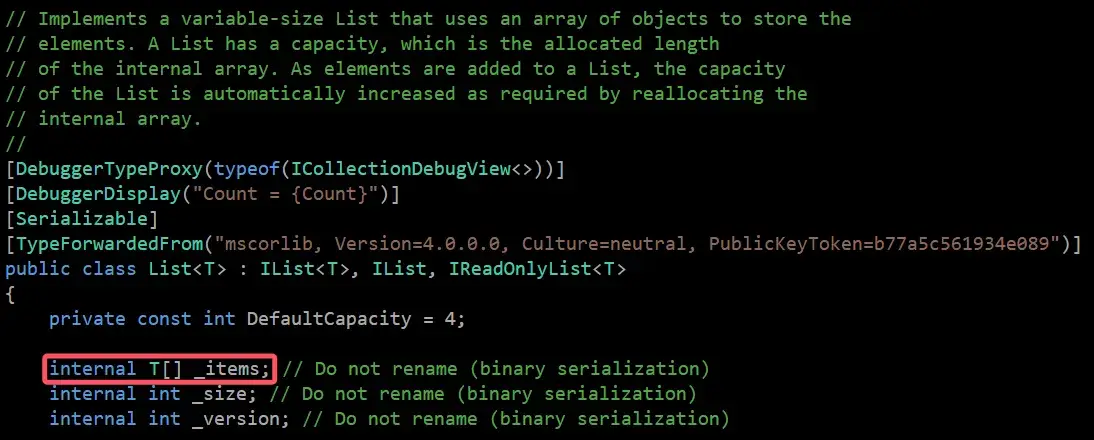
基于数组 :提供快速的随机访问,但插入和删除操作可能涉及大量元素的移动。若元素数量超过当前容量,则需进行扩容操作 。基于链表 :插入和删除操作灵活,但随机访问性能较低,且占用更多的内存空间。 在 .NET 中,System.Collections.Generic.List<T> 具体是基于数组 实现 的。这意味着它本质上是一个动态数组 。
由于 List<T> 基于数组实现,其必须应对数组长度固定的限制。大多数动态数组实现会在初始化时预设一个 容量(Capacity) ,并在容量不足时自动扩容。
在 .NET 8 中,使用无参构造函数 new List<T>() 初始化时,内部数组实际上是一个长度为 0 的空数组。只有在添加第一个元素时,容量才会被扩展为默认值(通常是 4)。
为了保持列表的“动态”特性,必须监控内部数组的容量。一旦添加的元素数量超过了当前容量(Count >= Capacity),就需要创建一个容量更大的新数组,并将原数组的元素复制过去。
这一过程称为扩容 ,它是一个相对昂贵的操作(内存分配 + 数据复制)。
比如说,对于一个容量为4的数组:
1
2
3
4
5
6
7
8
9
10
11
12
13
int [] Add (int [] arr, int elementint [] newArr = new int [arr.Length+1 ];for (int i=0 ; i<arr.Length; i++) return newArr;int [] arr = [1 , 1 , 4 , 5 ];1 );
每次添加元素都扩容显然是低效的。因此,.NET 采用了倍增策略 :当容量不足时,新容量通常扩大为原来的 2 倍。
这种策略将扩容操作的摊还时间复杂度 (Amortized Complexity) 降低到了 O(1)。
1 2 3 4 5 6 7 8 9 10 11 12 13 14 15 16 17 MethodImpl(MethodImplOptions.AggressiveInlining) ]private int GetNewCapacity (int capacityint newCapacity = _items.Length == 0 ? DefaultCapacity : 2 * _items.Length;if ((uint )newCapacity > Array.MaxLength) newCapacity = Array.MaxLength;if (newCapacity < capacity) newCapacity = capacity;return newCapacity;
最佳实践 :如果你预先知道列表将存储多少元素,请在构造函数中指定容量(如 new List<int>(1000))。这可以避免多次扩容带来的性能损耗。
创建一个空列表:
1 List<int > numbers = new List<int >();
从已有的数组创建列表:
1
2
int [] s = [1 , 1 , 4 , 5 , 1 , 4 ];int > numbers = new List<int >(s);
由于 List<T> 基于数组,它支持常数时间 O(1) 的随机访问。
1
2
int first = numbers[0 ]; 1 ] = 2 ;
向列表末尾添加元素通常是高效的 O(1) 操作(除非触发扩容即 O(n)):
1 2 3 4 5 6 1 );9 );1 , 9 , 8 , 1 , 0 ]);
而在列表中间 插入或删除元素,则需要移动后续所有元素,时间复杂度为 O(n):
1 2 numbers.Insert(3 , 0 ); 3 );
可以通过 for 或 foreach 循环遍历列表:
1 2 3 4 5 6 7 8 9 10 11 int total = 0 ;foreach (int num in numbers) {0 ;for (int i = 0 ; i < numbers.Count; i++) {
.NET 的列表提供了原生的 Sort() 方法,使用快速排序等算法进行原地排序(In-place sort)。
1
2
var numbers = new List<int > { 5 , 1 , 4 };
对于对象列表的排序,推荐使用 LINQ ,它语法更简洁且功能强大(尽管会产生新的列表对象):
1
2
3
4
5
6
7
8
9
10
11
12
13
14
15
16
17
var personA = new Person(10 , "A" );var personB = new Person(17 , "B" );var personC = new Person(22 , "C" );var personList = new List<Person> { personC, personA, personB };var sortedList = personList.OrderBy(person => person.Age).ToList();class Person (int age , string name )public int Age {get ; init ;} = age;public string Name {get ; init ;} = name;
假设一个播放器应用需要限制缓存文件夹的最大占用空间(例如 1145 MB)。每次启动时,程序需要检查缓存大小,如果超标,则按从旧到新 的顺序删除文件,直到满足限制。
思考过程 :
获取文件列表 :使用 DirectoryInfo 获取所有文件 (FileInfo)。计算总大小 :使用 LINQ Sum 计算当前占用。删除策略 : 我们需要删除“最旧”的文件。 如果我们按时间升序 (Ascending,旧 -> 新)排序,那么最旧的文件在列表头部(索引 0)。 List<T>.RemoveAt(0) 会导致所有后续元素前移,时间复杂度为 O(n)。如果在循环中频繁执行,性能极差。 优化方案 :降序 (Descending,新 -> 旧)排序。这样,最旧的文件(需要被删除的)就位于列表的尾部 。List<T>.RemoveAt(Count - 1) 是 O(1) 操作,无需移动元素,效率极高。
相关代码 :
1
2
3
4
5
6
7
8
9
10
11
12
13
14
15
16
17
18
19
20
21
22
23
24
25
26
27
28
29
30
31
32
33
34
35
36
void CleanupCache (string cacheFolderPath, int desiredCacheSizeInMbvar dirInfo = new DirectoryInfo(cacheFolderPath);if (!dirInfo.Exists) return ;var files = dirInfo.EnumerateFiles("*" , SearchOption.AllDirectories)var currentCacheSizeInBytes = files.Sum(f => f.Length);var desiredCacheSizeInBytes = desiredCacheSizeInMb * 1024L * 1024L ; while (currentCacheSizeInBytes > desiredCacheSizeInBytes && files.Count > 0 )var fileToDelete = files.Last(); try $"已从磁盘删除: {fileToDelete.Name} " );catch (Exception ex)$"无法删除文件 {fileToDelete.FullName} : {ex.Message} " );1 );